Phone vs. Tablet for Kids: Which Is Better for Their Eyes?
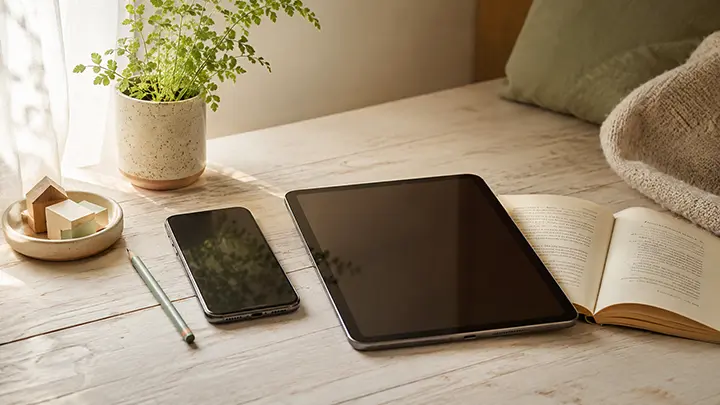
Parents asking “should I give my child a phone or a tablet?” usually want one clean answer. The honest one: neither device is automatically better for a child’s eyes — but the way each one tends to get used is very different, and that difference matters more than the device itself.
If you’ve been comparing a tablet to a hand-me-down phone for your seven-year-old, you’ve probably noticed the conversation online tilts in opposite directions depending on who’s writing. Some sources say tablets are easier on the eyes because of the larger screen. Others say phones are fine because they’re used in shorter bursts. Both are partly right.
What actually moves the needle for children’s eye health isn’t the device category. It’s a handful of underlying factors — viewing distance, screen size, posture, and total near-work time — and phones and tablets land differently on each of them. Once you can see those factors clearly, the choice becomes easier, and more importantly, the way you set up either device starts to matter more than the choice itself.
The Short Answer
For most kids under about 10, a tablet used at a sensible distance is a slightly gentler default than a phone — mainly because the larger screen invites a more natural viewing distance and bigger text. For older kids and teens, a phone is realistic and often unavoidable, and the question shifts to how it’s used rather than whether it’s used.
That’s the short version. The rest of this article walks through why, and what to actually do about it.
How Phones and Tablets Compare on the Things That Matter
Five factors drive whether a screen is hard on a child’s eyes. Phones and tablets land differently on each one.
1. Viewing distance
This is the single biggest factor and the one most parents underestimate. The further a device is from the eyes, the less work the focusing system has to do, and the less near-focus strain accumulates over a day.
Phones lose this comparison most of the time. Because phones are small, kids instinctively bring them closer to read comfortably — often well under 25 cm from the face. A 2015 study by Bao and colleagues, looking at children’s habitual phone use, found average viewing distances around 23–30 cm, with many sessions closer than that. The recommended safe distance for any handheld device is around 30–40 cm minimum, and at typical phone reading sizes, children rarely sustain it without a prompt.
Tablets get held further away on average because the screen and text are larger — there’s simply less reason to bring it close. They’re also often propped up on a table or lap, which physically caps how close the device can get to the face. That’s not a guarantee — a child curled up on the sofa with a tablet inches from the nose is still doing close near-work — but the typical posture with a tablet sits at a kinder distance than the typical posture with a phone.
We covered the distance question and what the research says in detail in our guide on how far kids should hold their phone from their eyes.
2. Screen size and text size
A larger screen lets text be physically bigger at the same zoom level, which means the eye doesn’t have to work as hard to resolve detail. Reading 12-point text on a phone screen is genuinely a different visual task than reading the same content on a 10-inch tablet.
For young readers in particular — first to fourth grade, roughly — bigger text on a tablet is more forgiving of immature visual systems still building accurate accommodation and convergence.
The caveat: if the tablet is being used to watch a video at the same distance a phone would be held, the screen-size advantage shrinks. Size only helps if the device is used at a distance that takes advantage of it.
3. Posture and neck angle
Hand-held devices encourage what physiotherapists sometimes call “text neck” — a forward head posture, chin tucked down, looking sharply downward. Phones, because they’re held in the hand and not propped up, get used in this posture far more often than tablets.
Tablets tilt the trade-off the other way. Used on a table or stand at near-eye level, they sit at a much healthier neck angle. Used flat on the lap or floor, however, they’re sometimes worse than a phone — the head angles down further to look at a larger surface area.
In other words, tablets give you the option of better posture; phones rarely do.
4. Session length and pattern of use
Phones tend to be used in many short sessions — a quick game, a quick video, a quick chat — scattered across the day. Tablets tend to be used in fewer, longer sessions: a half-hour of cartoons, a 45-minute reading app, a long stretch of drawing.
For eye health, fewer-but-longer sessions can actually be better — provided breaks are built in. A continuous block of near-work with a clear break afterwards is easier on the focusing system than a stop-start pattern that never lets the eyes fully reset. The opposite is true for general dopamine-loop habits, but on the narrow question of eye strain, structured sessions are kinder.
The catch is that “structured sessions with breaks” only happens if someone enforces the breaks. Without that, a long tablet session can quietly turn into 90 minutes of unbroken near-focus, which is hard on any child’s eyes.
5. Brightness and lighting context
Both phones and tablets adjust brightness automatically, and on modern devices the difference between the two on this dimension is small. What matters more is the room around the device. Watching either screen in a dim room — phone in bed, tablet under a blanket — forces the eye to deal with a high-contrast bright square against a dark background, which is more fatiguing than the same content in a well-lit room.
Phones get used in dim conditions more often than tablets, because they’re portable enough to follow a child to bed, the car at night, or the back seat of a dark hallway. That’s a usage pattern, not a property of the device — but it’s a real one.
What the Research Suggests
The research on screen type and children’s eye health is still maturing, but a few patterns are consistent enough to take seriously.
- Closer viewing distance correlates with myopia progression. Multiple large observational studies have found that children who habitually hold reading material — books or screens — closer than about 30 cm progress faster on the nearsightedness curve than peers who don’t. Phones, as the closest-held screens in daily use, sit at the centre of this finding.
- Total near-work time matters, not just device type. Studies looking at “screen hours” without controlling for what counts as near-work tend to produce muddy results. Once you separate close near-work (anything held in the hand under 40 cm) from further near-work (tablet on a stand, computer at a desk, TV across the room), the closer category shows a stronger association with eye strain and refractive changes.
- Outdoor time partly offsets near-work risk. Children who spend 1–2 hours a day outdoors show a measurably lower risk of myopia, even with high screen use. The protective effect of daylight is one of the most consistent findings in the field. We get into the practical implications of this in our guide on can smartphones cause myopia.
- Symptoms of digital eye strain show up at all ages. Headaches, tired eyes, blurred vision after long sessions, and dry-feeling eyes appear in children using either device for long stretches. The pattern is closer to “how it’s used” than “which device”.
What the research doesn’t conclusively show is a clean head-to-head verdict between the two devices. Studies that compare them tend to compare them as proxies for usage patterns, and most of the difference disappears once you control for distance and duration.
Choosing by Age
The right device depends as much on the child’s age and likely use as on the device itself.
Under 18 months
The World Health Organization and most paediatric bodies recommend no screen time at this age beyond brief video calls with family. Neither phone nor tablet is appropriate as a routine activity. The “device” question doesn’t apply yet.
Ages 2 to 5
When screens enter the picture in this age band, a tablet is typically the better default. Bigger text, larger images, and a more natural propped-up posture make it gentler on a still-developing visual system. Sessions should be short (the AAP suggests under an hour a day of high-quality content, co-viewed where possible), and the device should be at arm’s length on a table or stand rather than in the child’s hands.
A phone at this age is almost always being held too close. There’s no benefit that justifies that trade-off.
Ages 6 to 9
This is the age band where tablets often shine. Reading apps, educational games, and video at a tablet’s typical viewing distance are all easier on the eyes than the same content on a phone. If you’re choosing one device for school-age work, a tablet on a stand at a desk is hard to beat.
Phones start entering this age band socially — siblings have them, friends have them — but daily phone use at 6 to 9 still tends to mean close-distance use. If a phone is in the mix, this is the age to start building the habits early: arm’s length, breaks, well-lit room. Our guide on best screen habits for kids under 12 goes deeper on what those habits look like in practice.
Ages 10 to 12
By this point, many kids have a phone for messaging, contact, or basic apps, whether or not parents have planned for it. The question shifts from “which device” to “how do we set this up well”. A tablet still has the advantages outlined above for reading and longer sessions; a phone is reasonable for shorter, more social use as long as distance and breaks are managed.
Teens
Phones are functionally unavoidable here. The eye-health conversation moves from device choice to device habits — viewing distance, regular breaks, lighting, and protecting outdoor time. The factors that determined the phone-vs-tablet trade-off earlier are still the right ones to think about; they just operate within a “your kid has a phone now” reality.
How to Make Either Device Safer
Whichever device you’ve landed on, a small set of habits does most of the work.
- Arm’s length, minimum. For a phone, that’s roughly 30–40 cm. For a tablet, 40 cm or more is reasonable. The hand-on-elbow rule (elbow against the rib cage, device at the end of an outstretched forearm) is a quick visual check kids can learn.
- Breaks every 20 minutes. A 20-second look at something more than 6 metres away resets the focusing system. This is the 20-20-20 rule, and it works for any device.
- Light the room. Watching either screen in the dark — under a blanket, in bed, in the back seat at night — adds avoidable strain. A simple overhead light or lamp is enough.
- Prop the tablet up. Tablets reach their best position when they’re on a stand or table at near-eye level, not flat on the lap or floor.
- Outdoor time non-negotiable. Aim for 1–2 hours a day outside in daylight when possible. This is one of the few habits with consistent supporting evidence for protecting against myopia progression.
- Schedule the longer sessions. A clear 30-minute tablet session followed by a real break is gentler on the eyes than 90 minutes of low-grade phone use scattered through the day.
Keeping a child at arm’s length on a handheld device is famously hard. The reminder works for about three minutes, then they drift back in without noticing. This is the gap iVisionGuard was built to fill: a free Android app that uses the front camera as a distance sensor and gently alerts your child the moment the phone gets too close, running quietly in the background. The reminder lives on the device, so you’re not the one repeating it.
Key Takeaways
- Neither phones nor tablets are categorically better for children’s eyes — but each tends to be used in patterns that affect eye health differently
- Phones are usually held closer, which is the single biggest eye-strain factor; tablets are used at a kinder distance most of the time
- Larger screens on tablets allow bigger text, which is easier on developing visual systems — especially for younger readers
- Tablets give better-posture options when propped up; phones rarely do
- Session pattern matters: structured sessions with real breaks are gentler than scattered short-bursts
- For under-5s, a tablet at a distance is a reasonable default; for school-age kids, a tablet is often the better learning device; for tweens and teens, phones are unavoidable and habits matter more than device choice
- The same habits help either device: arm’s length, breaks every 20 minutes, lit room, outdoor time, propped-up posture
Frequently Asked Questions
Is a tablet better than a phone for a child’s eyes?
In most everyday use, yes — slightly. A tablet’s larger screen invites a more natural viewing distance and bigger text, and a propped-up tablet supports better neck and eye posture than a hand-held phone. The advantage isn’t huge, and it disappears if the tablet is used flat on the lap or held close to the face.
Is screen time on a phone worse for kids than the same time on a tablet?
On average, hand-held phone time involves a closer viewing distance and a steeper neck angle than tablet time. Same content, same duration — phone time is usually more demanding on the eyes. But a well-positioned tablet can swing the comparison; the device only helps if the habits do.
At what age should a child get their first phone?
There’s no single right age, and the eye-health side of the question is only one input. From a vision standpoint, the key issue isn’t when — it’s whether you can build durable habits around distance and breaks at the age you decide. Younger kids generally find it harder to maintain those habits unaided.
Are tablets okay for toddlers if used at a distance?
Major paediatric bodies recommend no screen time before about 18 months beyond video calls, and limited high-quality co-viewed content from age 2 to 5. If a tablet is part of that limited time, propping it up at arm’s length on a stand is the gentler set-up.
How can I tell if my child’s eyes are being strained by their device?
Watch for indirect signs: rubbing the eyes after sessions, complaints of headaches, sitting closer over time, squinting, or a sudden disinterest in close-up activities. A pattern across a few weeks — not a single instance — is worth a conversation and possibly a check-up. Our guide on when should kids have their first eye exam covers the recommended schedule and what to look for between exams.
Do blue-light filters on phones and tablets make a difference?
A small one for sleep, very little for daytime eye strain. The dominant factors for eye comfort during the day are viewing distance, duration, and lighting — not the spectrum of the screen. We unpacked the blue-light question in detail in our blue light and eye health guide.
iVisionGuard is a free Android app for real-time eye protection — monitoring screen distance automatically so the phone reminds your child to hold it at a safe distance, not you. Learn more at ivisionguard.com.